
ECU parameters
Read and write DIDs with typed views — uint, int, ASCII, hex, enum, combined. Bit-level extraction, raw bytes and mass read.
A Windows workbench for ECU parameters, trouble codes, live data and scripting. Local workspace, no cloud, free core.
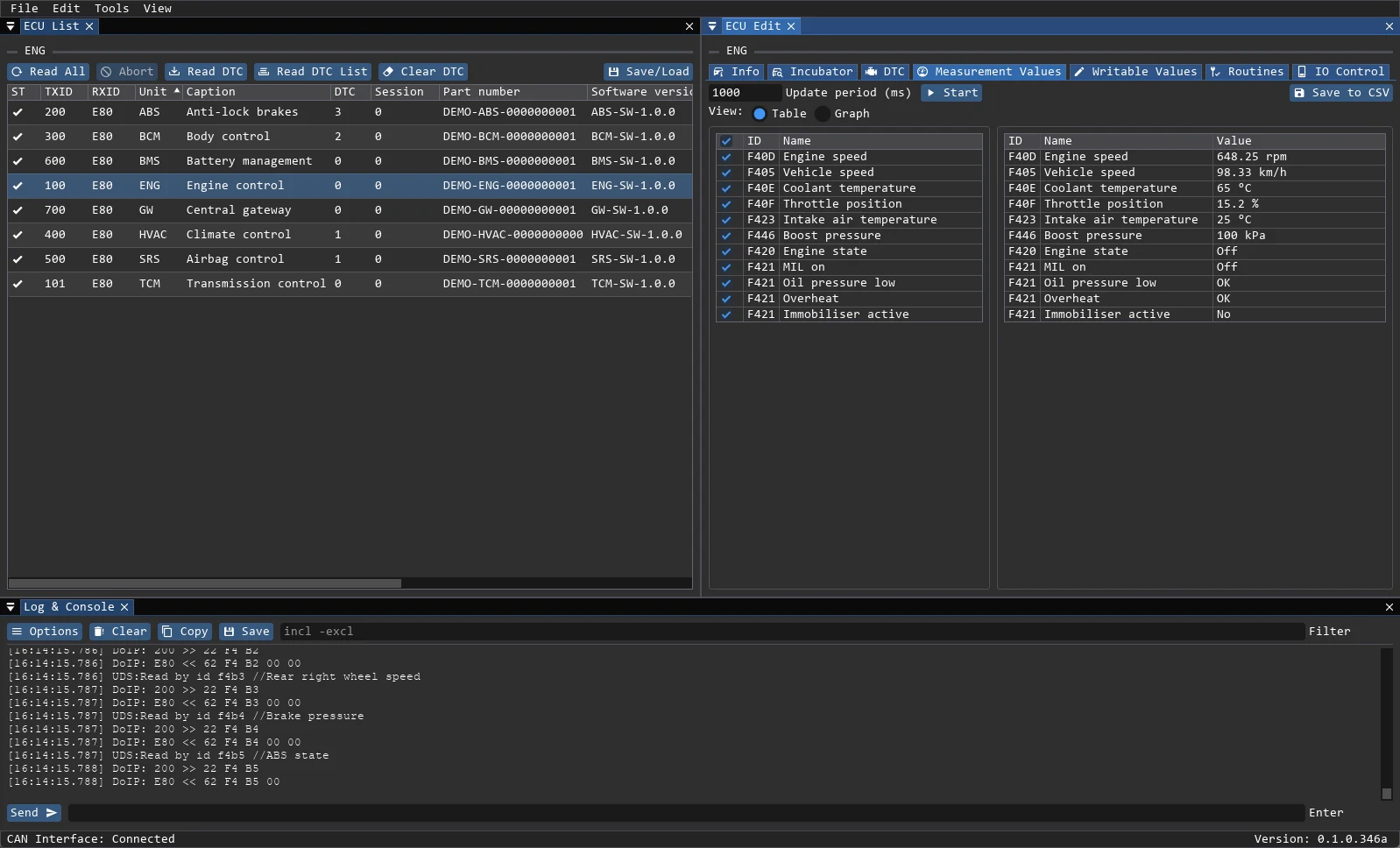
The same windows an engineer uses at the bench: typed DID editing, fault memory with freeze frames, and live signals plotted side by side. One workspace holds the project, definitions, logs and dumps.
No server, no account, no vendor lock-in. Everything lives in a folder you control and can copy to another machine.
Pick a directory. The app creates data, logs and projects folders inside it.
Add ECUs by hand or from the CAN scanner. Each ECU keeps its own DID, routine and DTC definitions.
Select a J2534 adapter for CAN or configure DoIP over Ethernet. Check the link in the status bar.
Read parameters, clear faults, record signals, run routines and export a report.
Built around the protocols used in real ECU work, with the file formats engineers already have on disk.
The final installer will be published when the build is ready.


